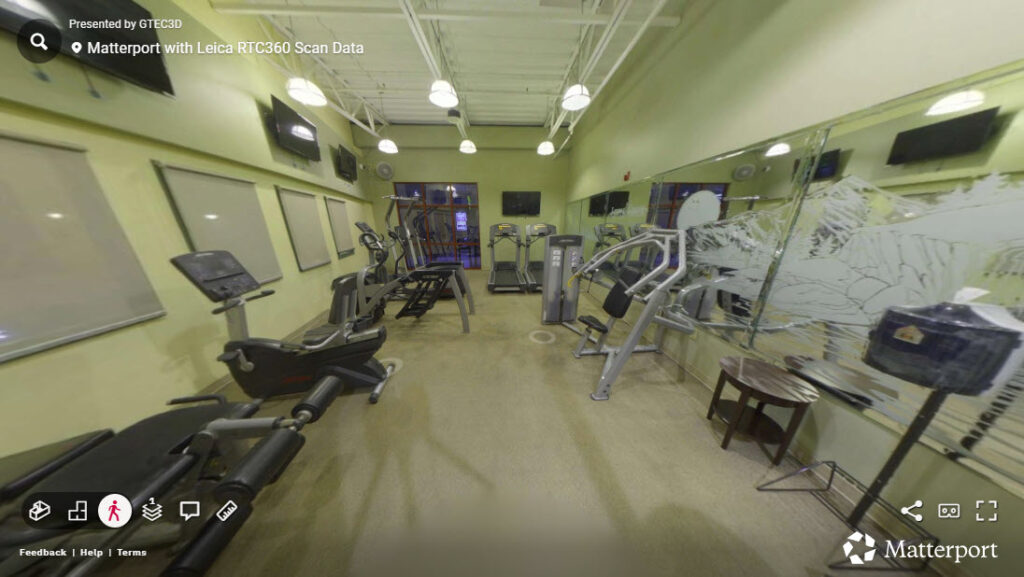
Bridging Laser Scanning and Digital Twins: GTEC3D’s Workflow Using Matterport E57 Import and RTC360 Data
-Introduction-
As reality capture workflows continue to evolve, the challenge is no longer just capturing high-quality data—it’s making that data usable. At GTEC3D, the focus is on transforming raw laser scan data into actionable digital assets that support design, engineering, and construction workflows.
With the introduction of Matterport’s new E57 import capability, a powerful bridge now exists between high-precision terrestrial LiDAR—such as data captured with the Leica RTC360—and immersive digital twin environments.
This blog walks through a complete workflow: from registering scans in Leica Cyclone REGISTER 360 PLUS, to exporting structured and unstructured point clouds, and finally importing into Matterport.
Step 1: Capturing High-Fidelity Scan Data with RTC360
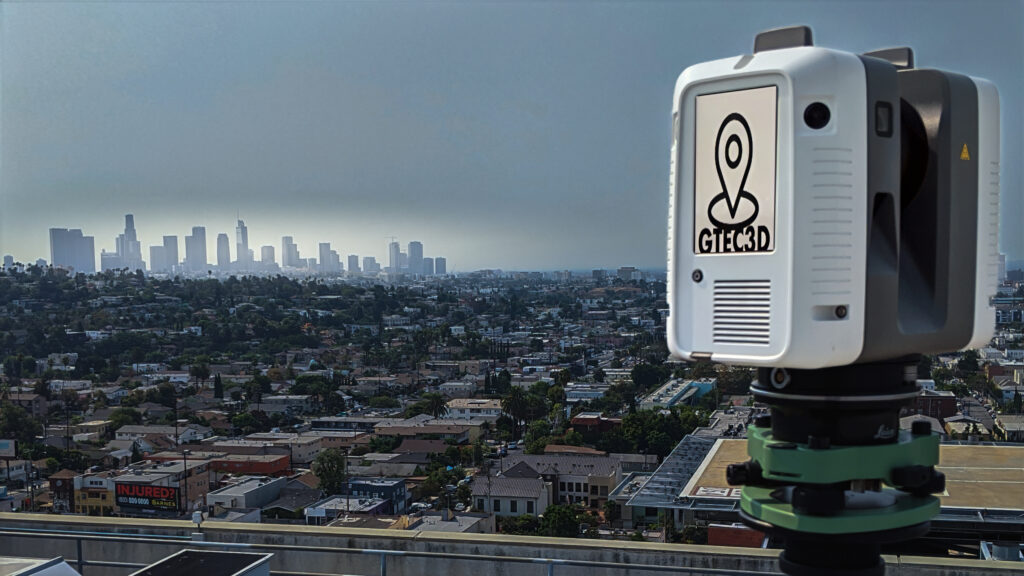
The workflow begins with terrestrial LiDAR capture using the RTC360. This scanner rapidly collects millions of points per second, generating highly accurate spatial data along with panoramic imagery.
At GTEC3D, this phase is critical. High-quality capture ensures that downstream processes—registration, export, and visualization—retain maximum fidelity.
Step 2: Registration in Cyclone REGISTER 360
Once scanning is complete, data is imported into REGISTER 360 for alignment and registration. The software uses VIS (Visual Inertial System) links, cloud-to-cloud registration, and manual constraints to accurately align scan positions into a unified coordinate system. ()
At this stage, the project becomes a structured dataset, meaning:
- Each scan position is preserved
- Panoramic imagery is linked to each setup
- Spatial relationships between scans are maintained
This structure is essential for workflows that rely on scan-to-scan navigation or photorealistic context.
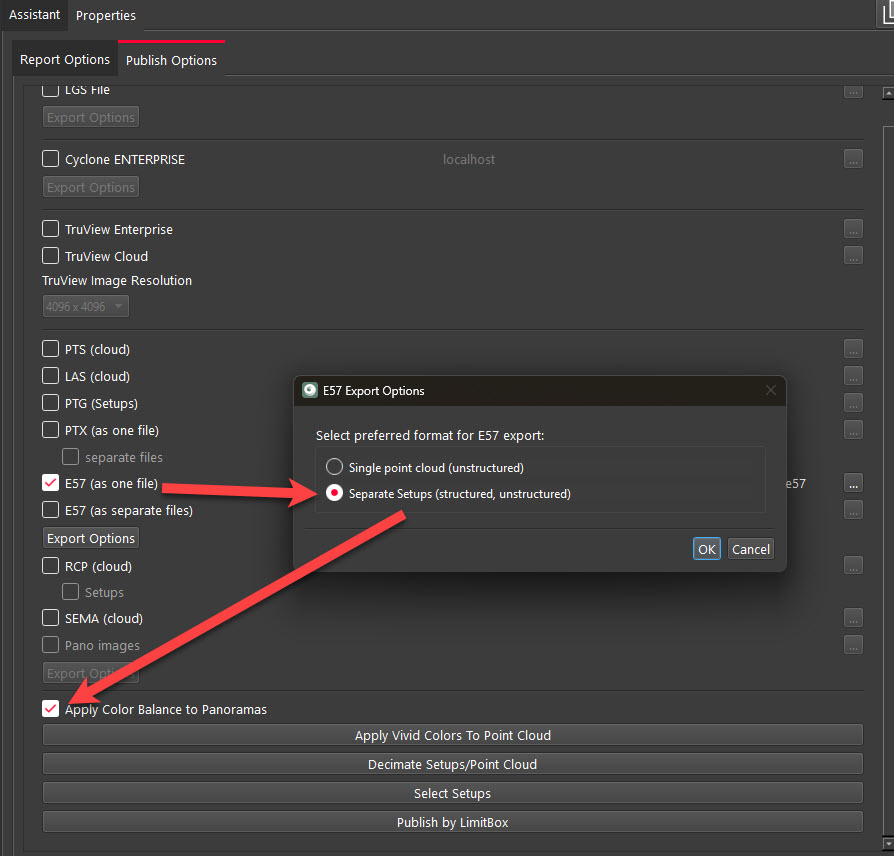
Step 3: Exporting Structured vs Unstructured E57 in Leica Geosystems Register 360
REGISTER 360 allows export to the industry-standard E57 format, which is widely supported across AEC platforms.
E57 As A Single File (Structured/Unstructured) – (Recommended for Matterport)
A structured E57 retains:
- Individual scan positions
- Embedded panoramic imagery
- Full registration metadata
This format preserves the integrity of the original scan and enables advanced workflows. Structured E57 files contain each scan location and associated data, allowing users to navigate between positions and access imagery. ()
Unstructured (Unified) E57
An unstructured E57:
- Merges all scans into a single point cloud
- Removes scan positions and pano data
- Reduces file complexity
While this format is easier to handle in some desktop applications, it is considered a destructive process because scan structure and metadata cannot be recovered once removed. ()
Key Takeaway
- Use structured E57 for visualization, digital twins, and platforms like Matterport
- Use unstructured E57 for lightweight modeling workflows (e.g., Revit, CAD)
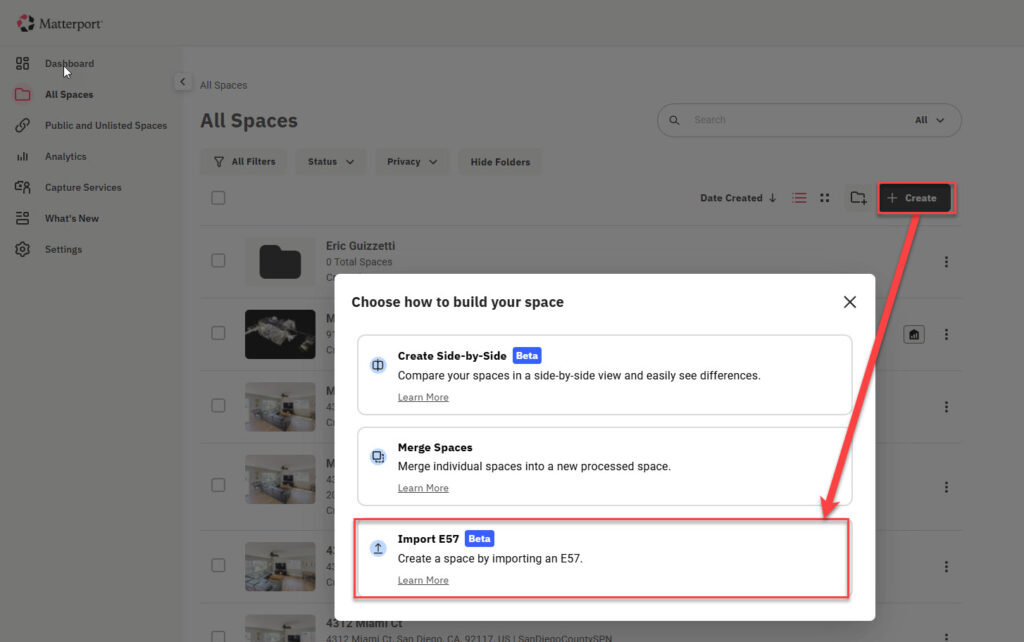
Step 4: Importing E57 into Matterport
With Matterport’s new E57 import workflow, structured laser scan data can now be transformed into a fully navigable digital twin.
Matterport converts structured E57 datasets into connected environments that integrate directly with design and construction tools, eliminating the need for redundant site visits. ()
This is a major shift in how LiDAR data is used:
- Traditional workflows → static point clouds
- New workflows → immersive, interactive digital twins
Step 5: Value for AEC Workflows
By combining RTC360 capture, REGISTER 360 processing, and Matterport visualization, GTEC3D delivers:
1. Increased Data Utilization
A significant portion of captured scan data often goes unused due to complexity. Matterport’s E57 import helps unlock that value.
2. Improved Collaboration
Teams can explore real-world conditions remotely through a digital twin rather than relying solely on point cloud viewers.
3. Faster Decision Making
Engineers, architects, and stakeholders can validate conditions instantly without revisiting the site.
Conclusion
The integration of structured E57 workflows into Matterport represents a turning point for reality capture in AEC.
At GTEC3D, leveraging this pipeline—from RTC360 capture to REGISTER 360 export and Matterport import—enables the delivery of high-quality, accessible digital twins built on precise LiDAR data.
The key to success lies in understanding your data structure:
- Preserve it when you need intelligence and context
- Simplify it when you need performance and compatibility
As tools continue to evolve, workflows like this will define the future of digital construction and spatial data utilization.